
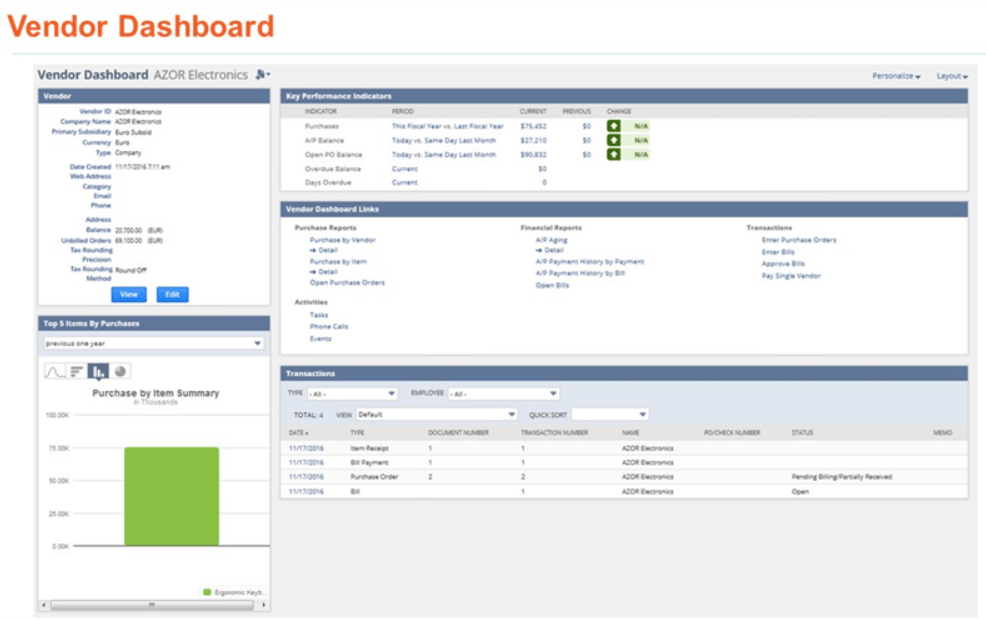
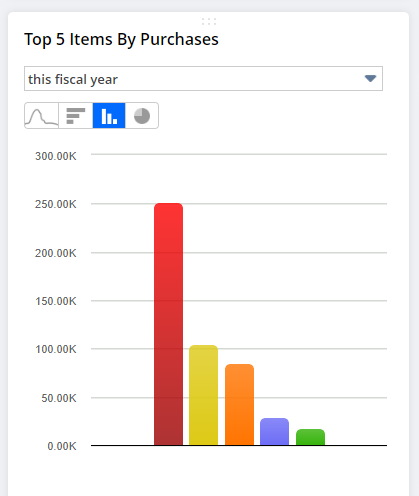
You can view a real-time dashboard for each of your vendors. The vendor dashboard enables you to see vendor data pulled from vendor records at a glance without having to search records individually. Vendor dashboards show Key Performance Indicators (KPIs), trend graphs, report snapshots and reports pertaining to each vendor.
Opening a vendor dashboard
Click the View Dashboard icon above the vendor name on the vendor record. You can also open the vendors list, hover to the left of the vendor’s name, and click the same icon.
One real problem, one fix, one gotcha
Every week. No news roundups, no release-note regurgitation, no “5 tips.”
Free. Unsubscribe whenever. I don’t share your address with anyone.
What is on it by default
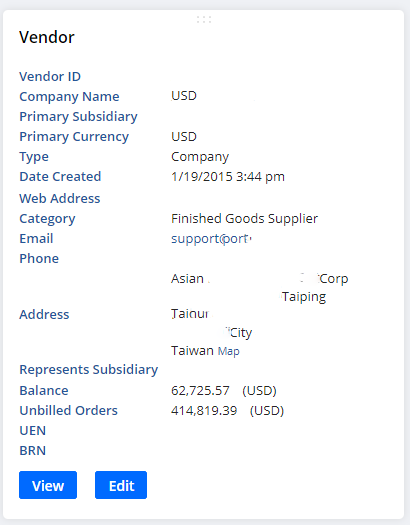
- Vendor — summary information about the vendor record, with buttons to view or edit it.
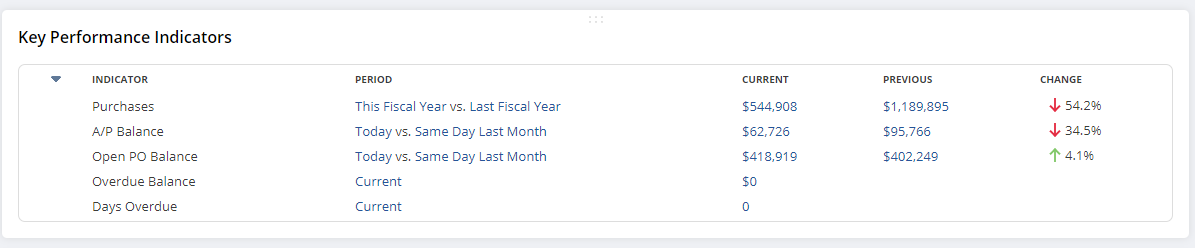
- Key Performance Indicators — important summary data for that vendor.
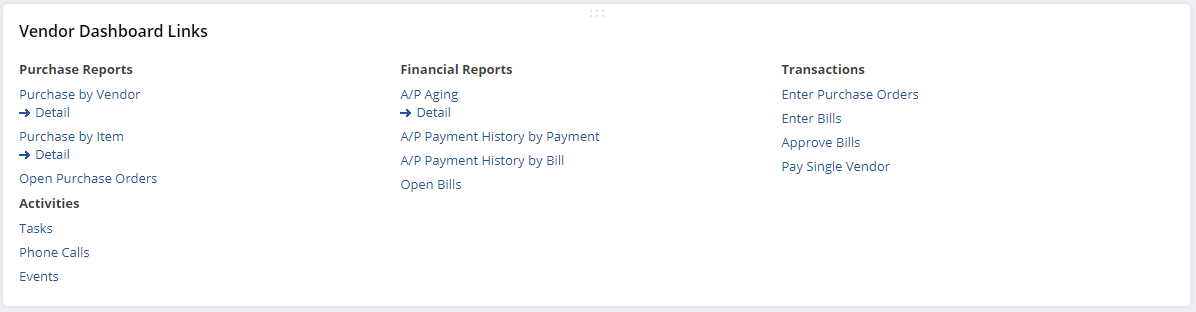
- Vendor Dashboard Links — links to related reports, and to create a new activity or transaction.
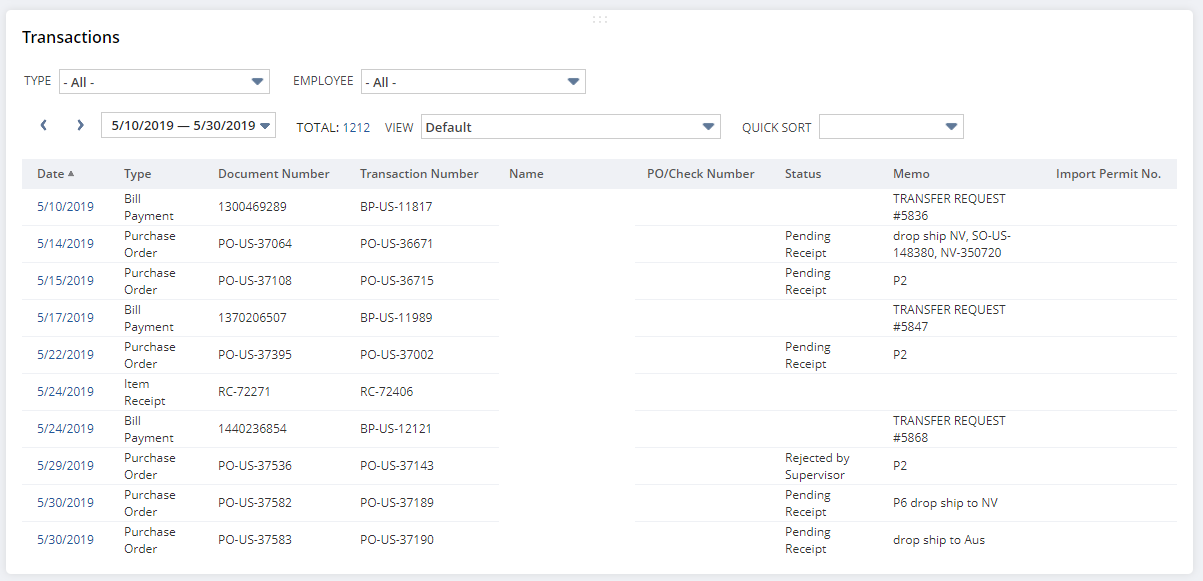
- Transactions — recent vendor transactions.
Who actually uses it
The vendor dashboard can be a useful tool for many people in your company — especially accounting and purchasing teams, who otherwise end up rebuilding the same picture by hand every time a supplier question comes up.
